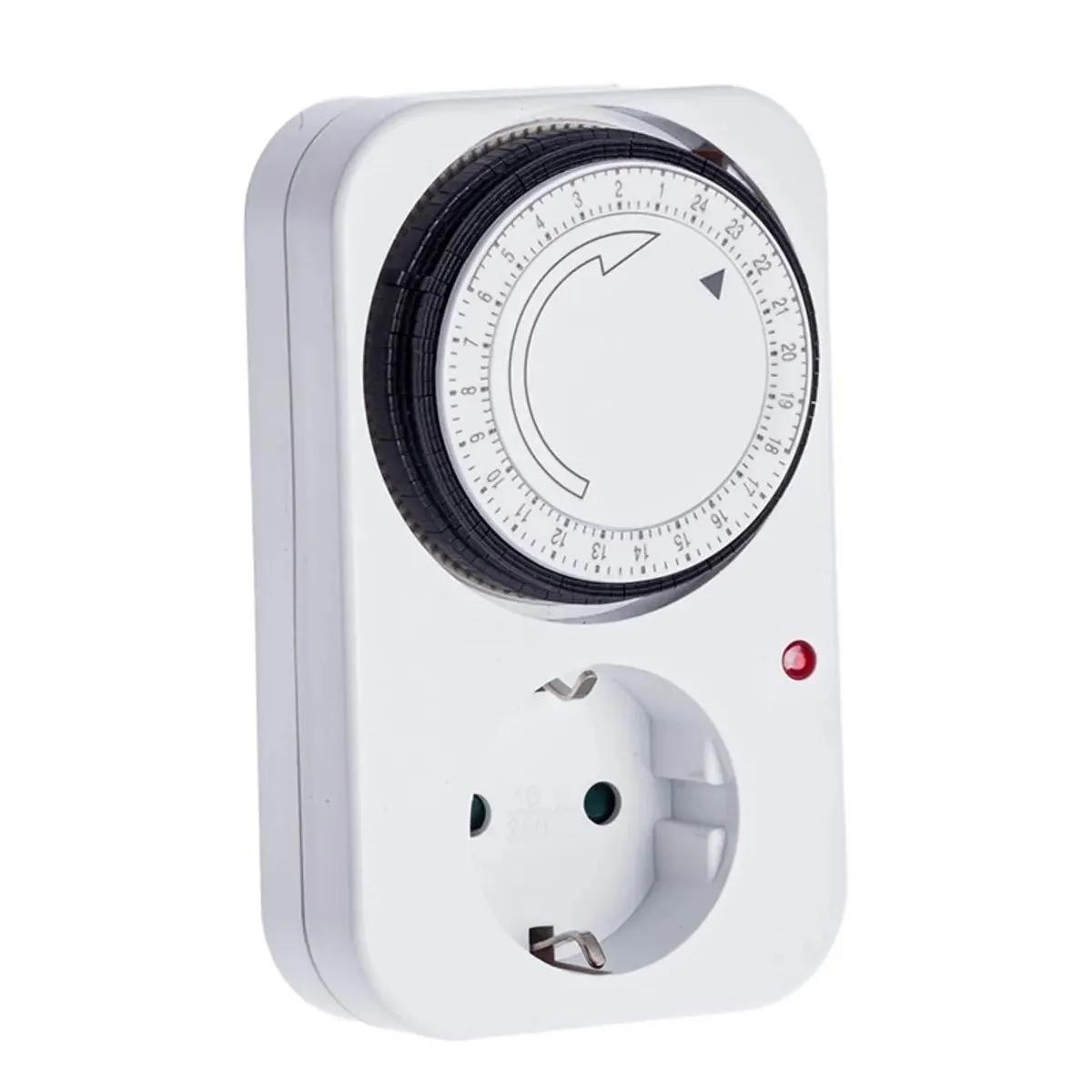
The Basic Analog Timer from VDL is a mechanical plug-in timer that switches lights, fans, and pumps on and off automatically across a 24-hour cycle. Drop it between your wall socket and your grow light, set the tabs for your on/off schedule, and walk away. No apps, no firmware updates, no screen that dies in year two — just a rotating dial that has been doing the same job in grow rooms for decades.
Why an analog timer still beats digital in a grow tent
Because the simplest tool is usually the one that survives. Digital timers fail in two ways growers hate: they reset during power cuts, and their cheap buttons wear out after a few hundred presses. This VDL analog timer has no battery backup to lose and no menu to navigate — the dial just keeps turning. Set your 18/6 or 12/12 once, and it runs until you change it.
The 1800W maximum load handles pretty much anything you'd plug into a single socket in a home tent: a 600W HPS with ballast, a full LED panel, or a combo of fans and a small heater. You get 48 tabs around the dial — one for every 30-minute segment across 24 hours — and a minimum switch time of 15 minutes. That 15-minute floor matters: it's long enough to protect HID ballasts from short-cycle damage.
Specifications
| Brand | VDL |
| Type | Analog mechanical timer |
| Cycle | 24 hours |
| Segment resolution | 30 minutes (48 tabs) |
| Minimum on/off time | 15 minutes |
| Maximum load | 1800W |
| Voltage | 230V / 50Hz |
| Manual override | Yes (on / auto / off switch) |
| SKU | GS0019 |
Analog vs digital timers — where each one wins
Analog timers win on reliability; digital timers win on precision. If you need your lights to flip at exactly 06:00:00, get a digital. If you need something that will still be working in five years without a single thought from you, the analog wins every time.
| Feature | VDL Basic Analog | Typical digital timer |
|---|---|---|
| Smallest interval | 15 minutes | 1 minute |
| Power outage behaviour | Keeps running on mains | Often resets |
| Learning curve | Push tabs down, done | Read the manual |
| Max load | 1800W | Varies (often lower) |
| Failure mode | Mechanical wear (years) | Electronic death |
Which timer setup is right for you
One light, one tent: One VDL Basic Analog is all you need. Plug in, set the tabs, go.
Separate day/night circuits: Two timers — one for your lights on the photoperiod cycle, one for fans and extraction running 24/7 or on a humidity-driven schedule.
Over 1800W total load: Don't daisy-chain. Run a contactor relay box and use the timer to trigger the relay instead of carrying the full current.
How to set the VDL timer
- Find the current time on the dial's outer ring and rotate it clockwise until the arrow lines up with a marker on the housing.
- Push the small tabs down for every 30-minute block you want the power ON. Leave them up for OFF.
- Flip the side switch to the clock/auto position — the middle setting runs the programmed cycle.
- Plug your light, fan, or pump into the front socket, then plug the timer into the wall.
- Watch the first cycle to confirm it's switching on and off when you expect. Five minutes of checking beats a week of dark plants.
Where it fits in your grow
The obvious job is the light cycle — 18/6 for vegetative, 12/12 for flower. Beyond that, growers run analog timers on oscillating fans (on during lights-on, off at night to save bearings), water pumps in hydro systems (short bursts every few hours), and CO2 solenoids. In mushroom cultivation, a VDL timer on a humidifier or fresh-air fan gives you hands-off fruiting conditions without a climate controller.
Sensory note from the bench: these VDL units click audibly when they switch. It's a faint tick you'll hear from inside the tent — some people find it reassuring (you know it's working), others notice it in a quiet room. Not a flaw, just a thing.
Honest limitations
The 15-minute minimum rules this timer out for anything needing short bursts — aeroponic misters running 30 seconds every 5 minutes, for example. For that job you want a digital recycling timer, not this one. The dial is also not labelled down to the minute — you're eyeballing 30-minute chunks, so "lights on at 06:00" is really "lights on somewhere in the 06:00–06:30 window." For growing plants, that's fine. For anything requiring surgical timing, it isn't.
Complete your setup: pair the VDL timer with a grow tent, a carbon filter, and an extraction fan for a proper closed-loop environment. If you're running over 1800W, add a contactor relay box so the timer only switches the low-current trigger, not the full load.
Frequently Asked Questions
What is the minimum on-time on this timer?
15 minutes. Each tab around the dial covers a 30-minute segment, and you need at least one tab pushed down to create an on-cycle, so the shortest possible switch is 15 minutes.
Can I run a 600W HPS through it?
Yes. A 600W HPS with ballast pulls around 650–700W in practice, well under the 1800W limit. You can even run a 600W HPS and a small clip fan through the same timer if you wire them via a splitter, as long as total draw stays under 1800W.
Does it keep the schedule if the power cuts out?
The dial stops turning when the power drops, then resumes from where it paused when power returns. That means your on/off times will drift by however long the outage lasted — check the dial after any blackout and nudge it back to the current clock time.
Can I use it for a hydroponic pump cycle?
For flood-and-drain tables and top-feed systems running 15 minutes or longer, yes. For short misting cycles under 15 minutes (aeroponics), you need a digital recycling timer instead — this analog unit can't go below that 15-minute floor.
What happens if I exceed 1800W?
Best case, the internal contacts wear out early. Worst case, they weld shut or overheat. If your combined load is anywhere near 1800W, add a contactor relay box and let the timer trigger the relay coil rather than carrying the full current itself.
Is there a manual override?
Yes. The side switch has three positions: always on, always off, and auto (follows the programmed tabs). Handy for when you want to flip lights on for an inspection without disturbing the schedule.
Last updated: April 2026